Menginstal plugin Tiny Finch di WordPress
Plugin Tiny Finch WordPress menjadi cara paling gampang untuk memasang widget live chat Tiny Finch ke website WordPress, tanpa perlu koding, mengutak-atik tag <script>, atau mengira-ngira cara memasangnya.
Plugin ini dirancang untuk admin WordPress yang lebih suka menggunakan plugin daripada mengurus tag HTML.
Fungsi plugin
Biasanya, untuk menginstal Tiny Finch kamu perlu memasukkan tag <script> ke HTML website-mu. Kalau baca kalimat itu saja sudah bikin kamu malas, plugin ini cocok buat kamu.
Dengan plugin ini, kamu akan menginstal Tiny Finch seperti menginstal plugin WordPress lainnya: kemudian, di pengaturan plugin, kamu perlu memasukkan kredensial Tiny Finch sekali saja, widget live chat akan muncul otomatis di website.
Panduan menginstal langkah demi langkah
1. Instal plugin
-
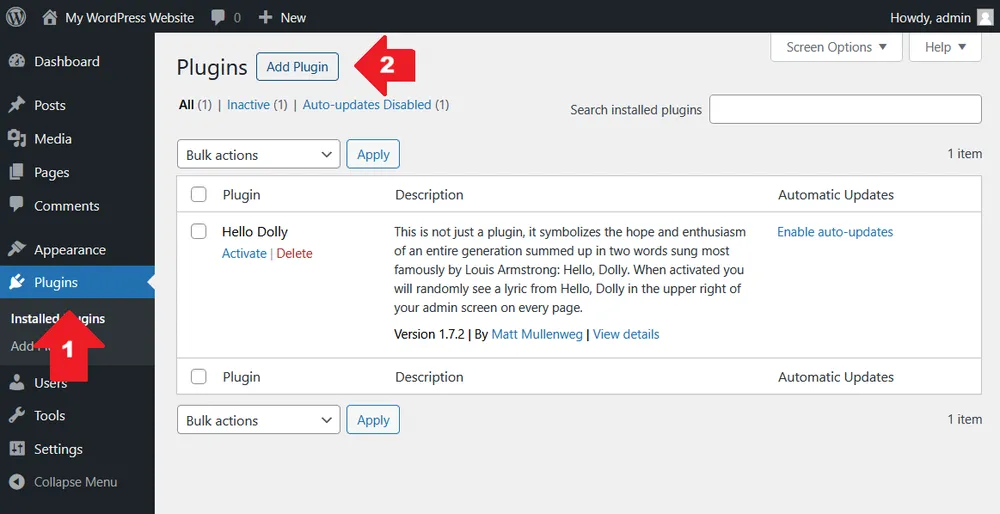
Buka halaman dasbor admin WordPress
-
Klik Plugins → Add Plugin (lihat juga screenshot di bawah; ikuti urutan anak panah berwarna merah)
-
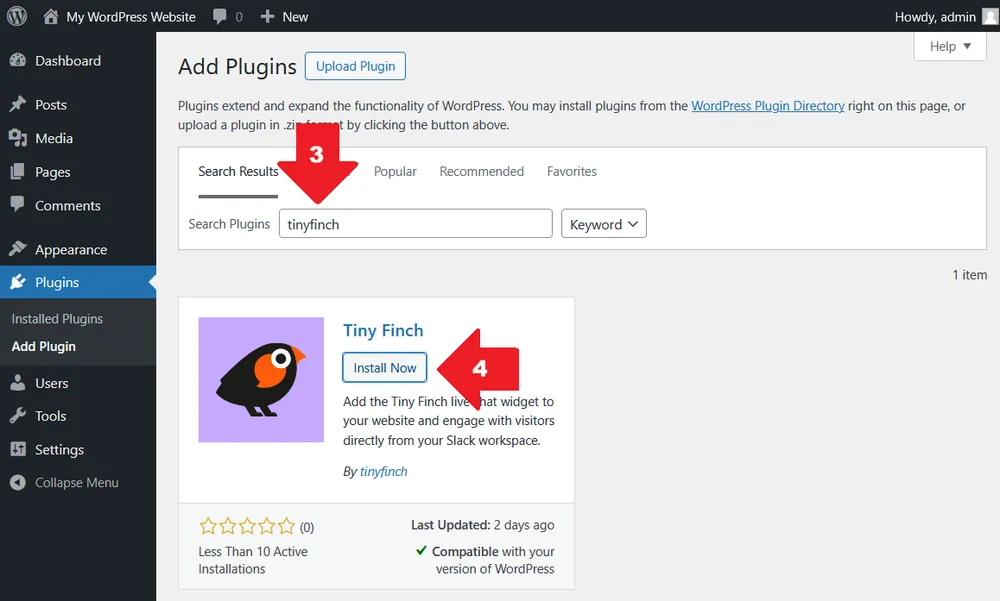
Cari tinyfinch
-
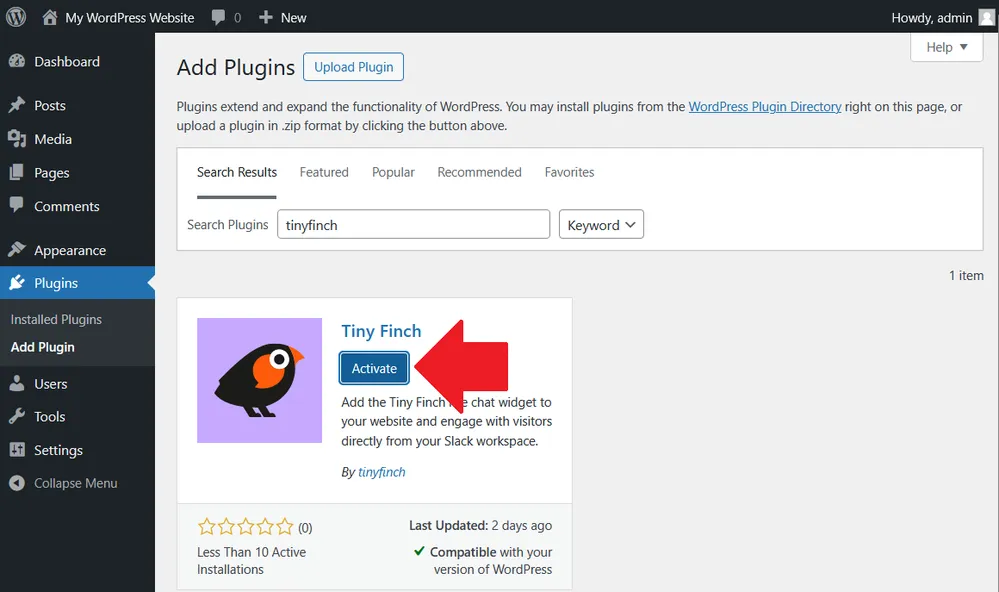
Klik Install Now, lalu Activate
Setelah diaktifkan, Tiny Finch akan muncul di daftar plugin.
2. Buka halaman pengaturan plugin
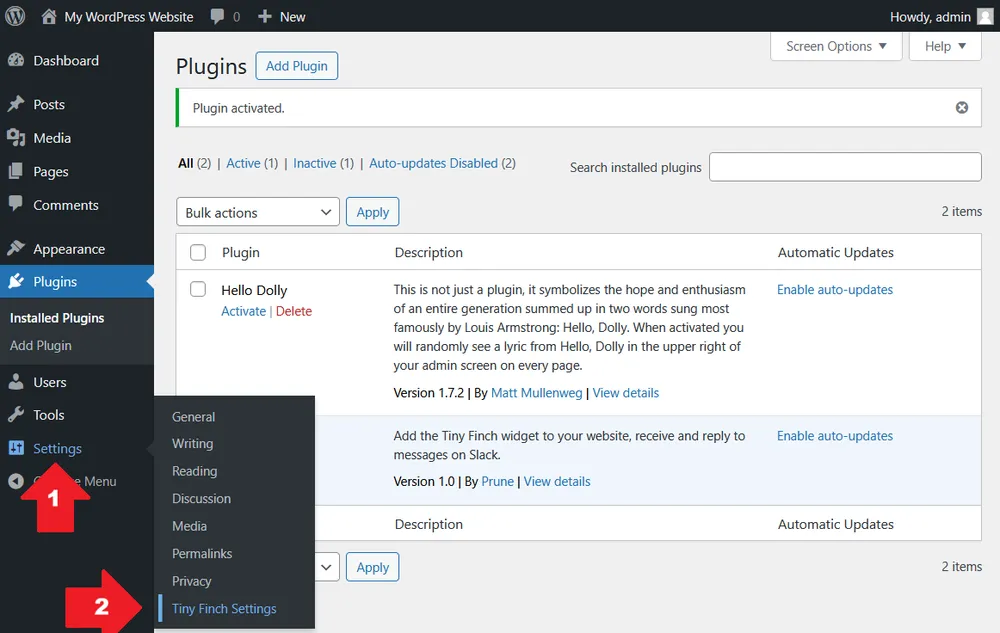
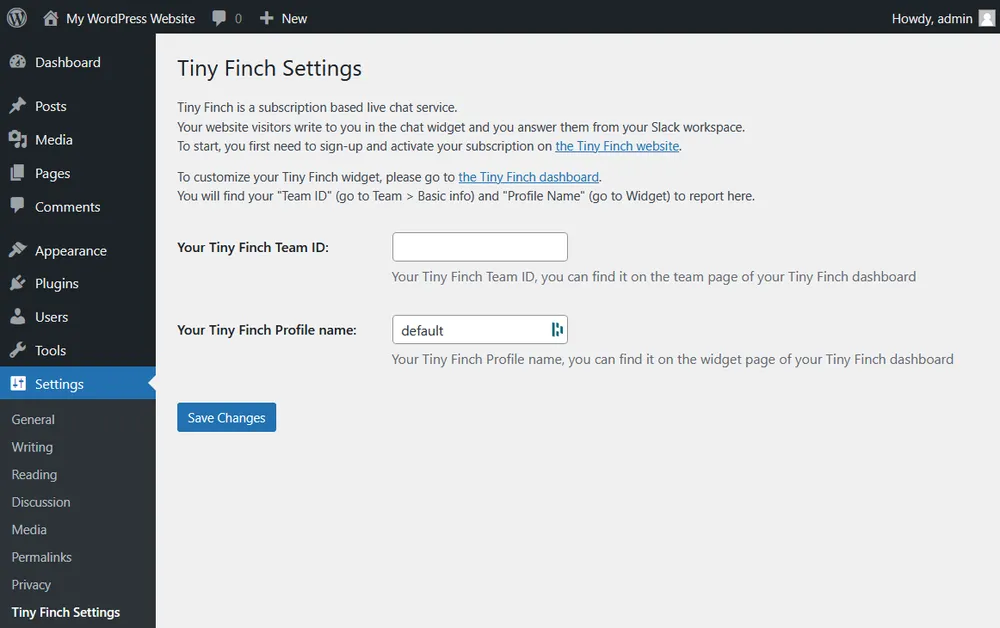
Setelah diaktifkan, buka Settings → Tiny Finch Settings (atau klik Settings langsung dari daftar plugin). Formulir pengaturan sederhana dengan dua kolom akan muncul.
3. Isi kolom yang wajib diisi
Team ID (wajib)
-
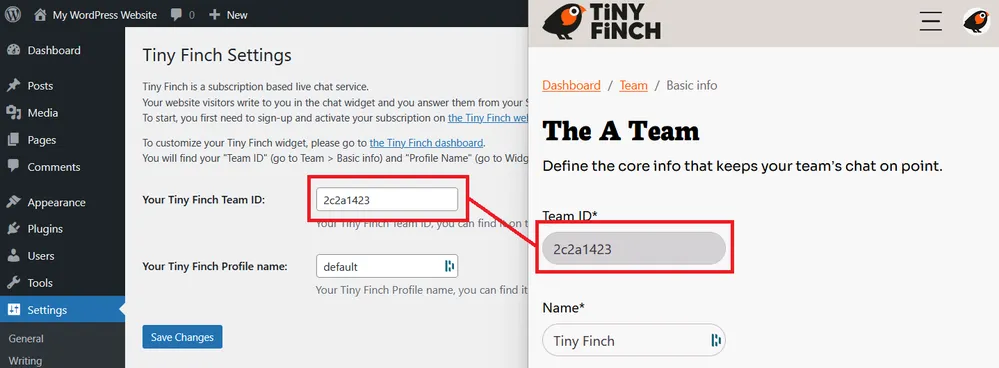
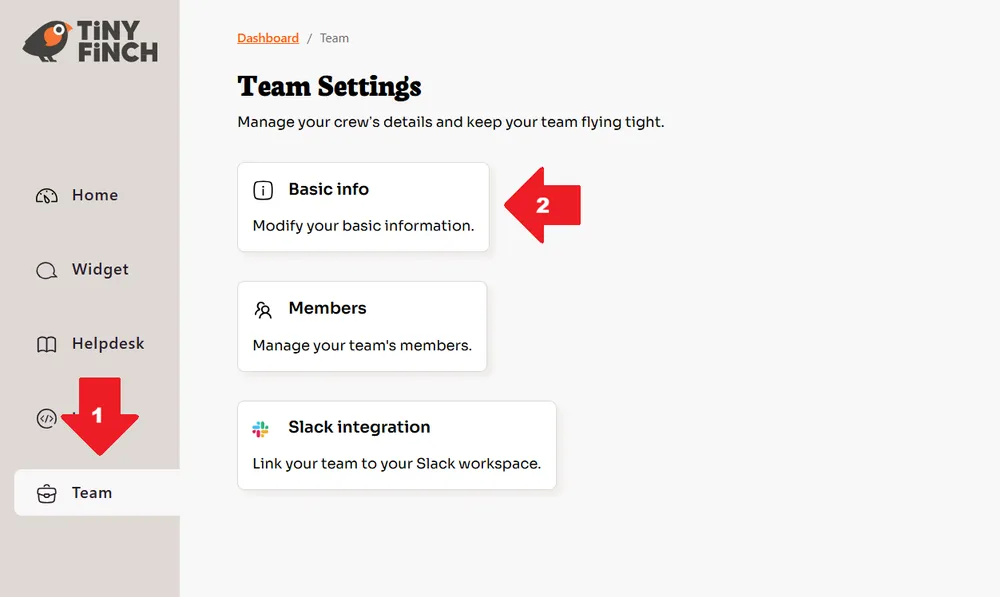
Maksudnya adalah Team ID khusus milikmu yang ada di dasbor Tiny Finch (buka Team → Basic info)
-
Kamu bisa mengakses ID tersebut di halaman pengaturan akun Tiny Finch
-
Copy dan paste ke kolom tersebut
Nama profil (opsional)
-
Hanya diperlukan kalau akun Tiny Finch kamu punya lebih dari satu profil
-
Gunakan fitur ini untuk memilih profil mana yang akan disambungkan ke website ini
-
Kalau cuma punya satu profil, kamu bisa membiarkan bagian ini apa adanya atau default
4. Simpan konfigurasi
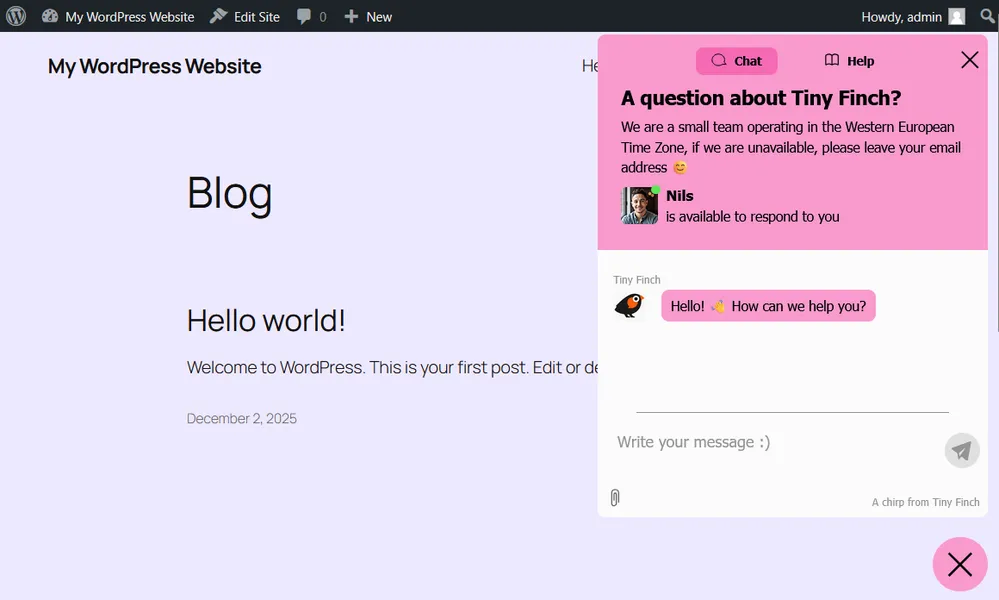
Klik Save. Setelah formulir disimpan, widget live chat Tiny Finch akan langsung muncul di bagian kanan bawah website.
Mengubah perilaku dan tampilan widget
Plugin WordPress ini hanya menangani proses instalasi. Kamu bisa mengubah perilaku dan tampilan widget di dasbor Tiny Finch.
Dari dasbor, kamu bisa:
-
Memilih halaman mana yang menampilkan atau tidak menampilkan widget (kontrol halaman adalah salah satu fitur yang paling sering digunakan, misalnya: tidak menampilkan widget di halaman checkout atau halaman hukum)
-
Mengubah perilaku dan tampilan widget
-
Mengatur tim
Kalau bisa menginstal plugin WordPress, kamu bisa menginstal Tiny Finch. Kalau kamu bingung kenapa widget live chat masih mengharuskan kita mengedit HTML di tahun 2026, selamat! Kamu tidak perlu berurusan dengan HTML lagi di WordPress.
Untuk hal-hal d luar instalasi, kunjungi dasbor Tiny Finch dan lakukan perubahan sesuai keinginan kamu.